
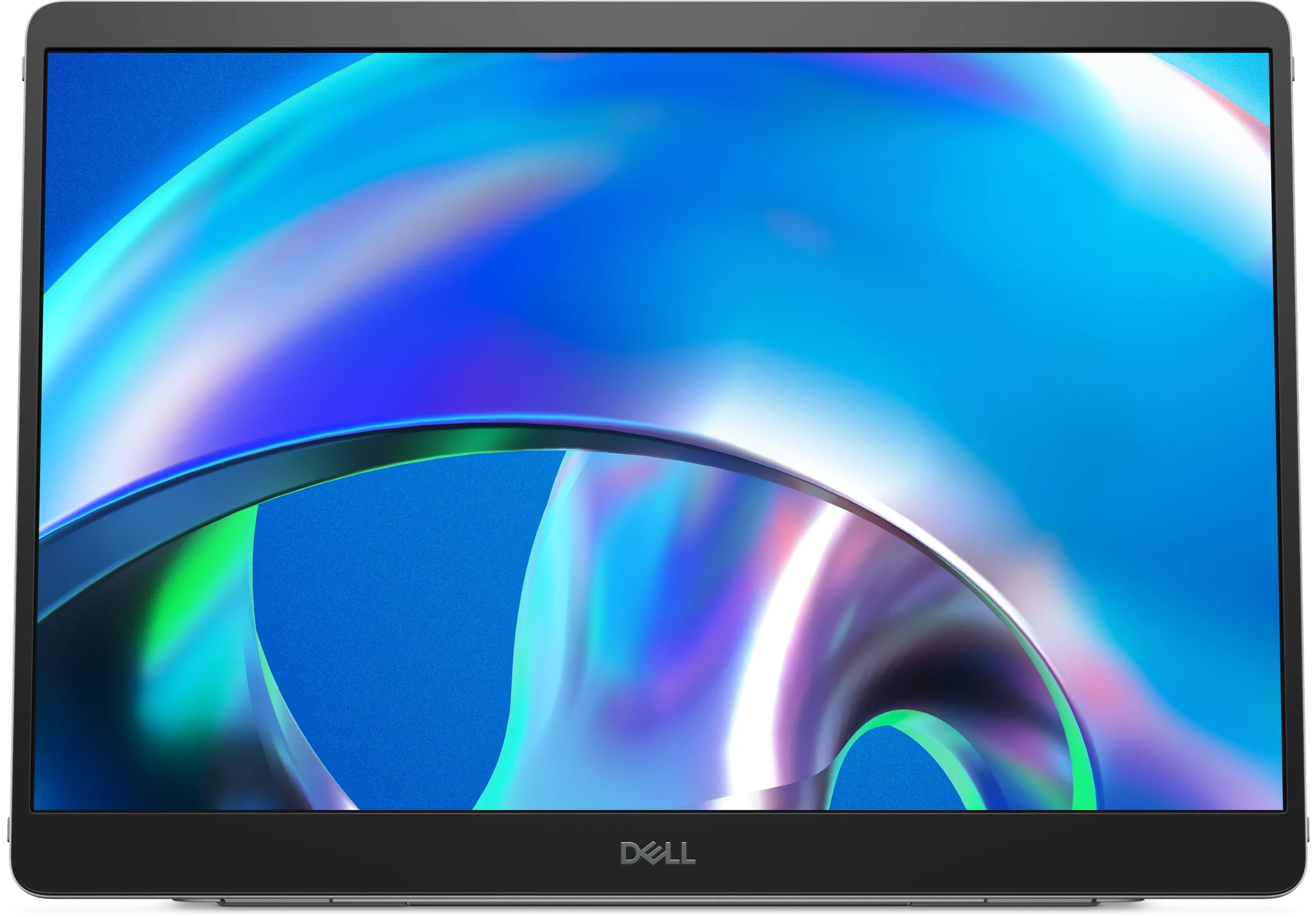
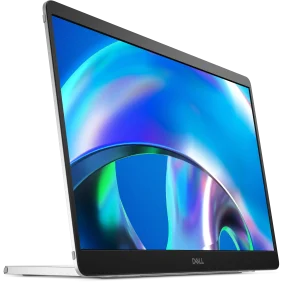
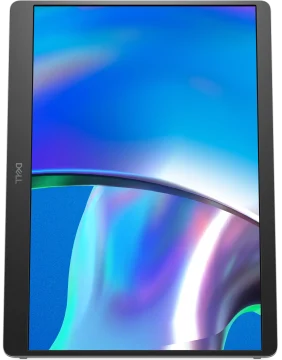
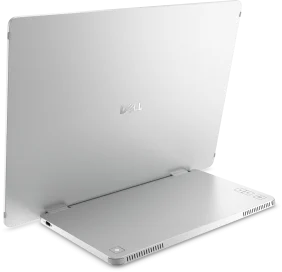

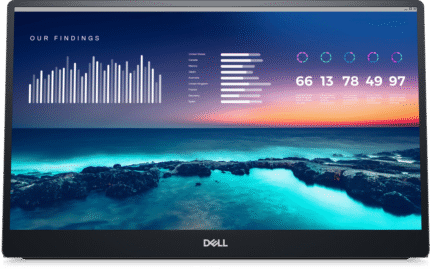
Dell Pro Plus P1425 Portable Monitor 14″ 1920 x 1200 pixels WUXGA LCD Silver
R5,300 Incl VAT
Pay R5,141 When paying via EFT at checkout.
In stock with Supplier
Please fill in the fields below with the shipping destination details in order to calculate the shipping cost.


Expand productivity on the go
Compact convenience
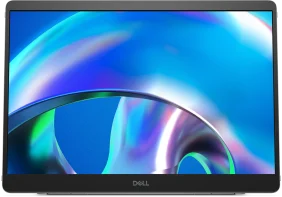
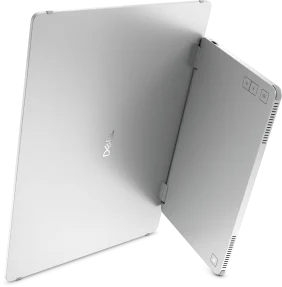
Take dual-screen productivity everywhere with this ultrathin, ultralight portable monitor.
Adapts to your needs
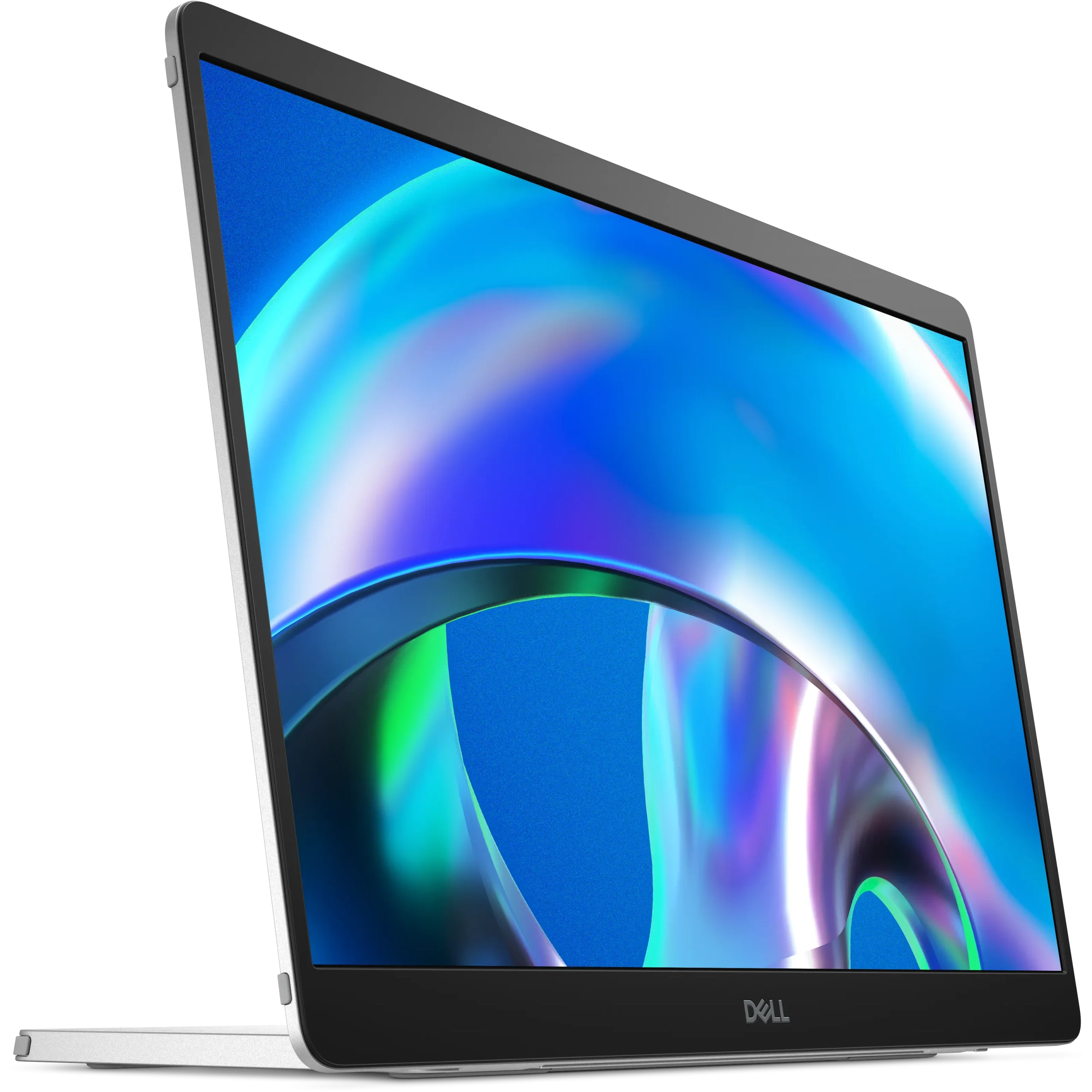
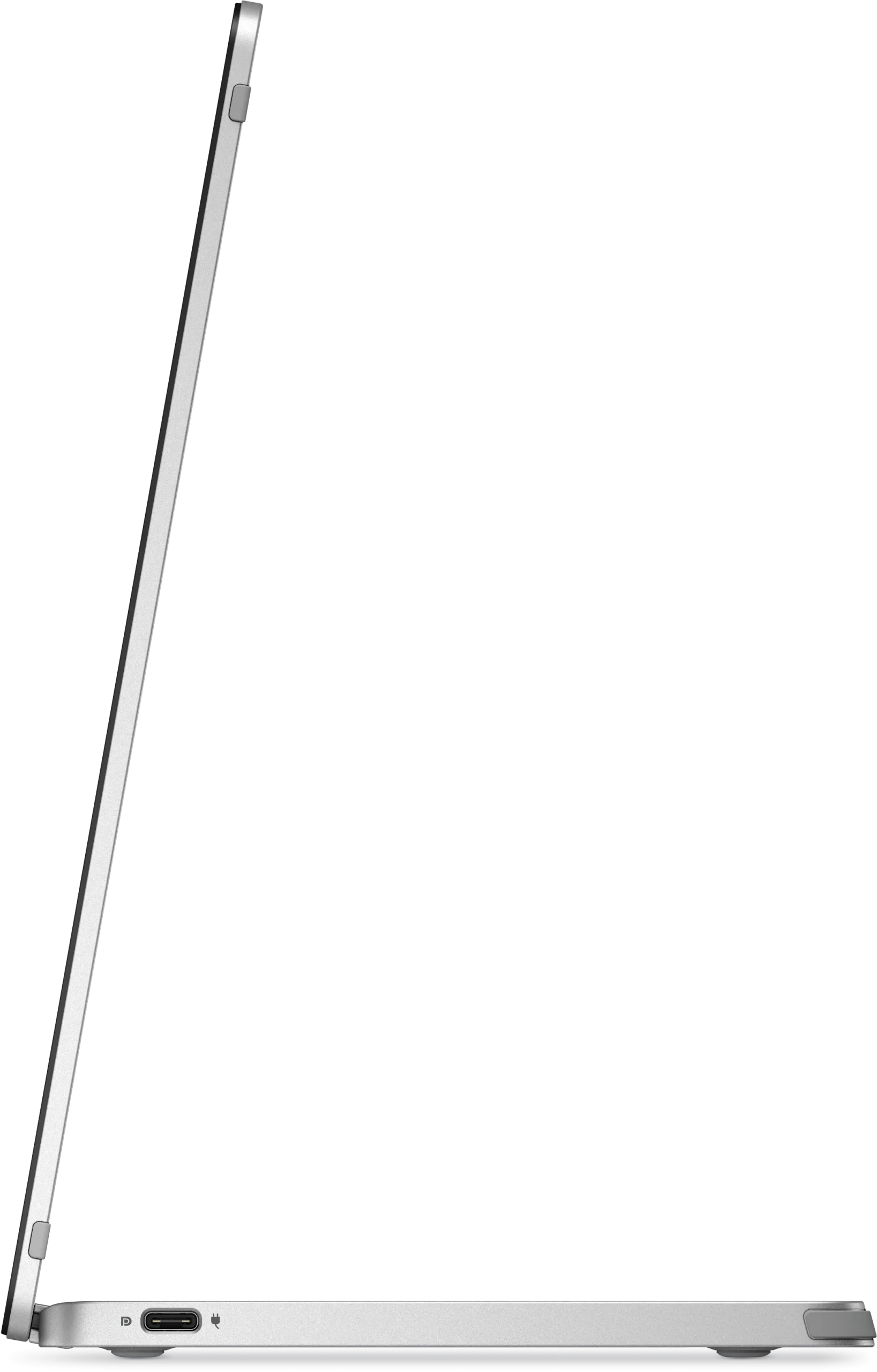
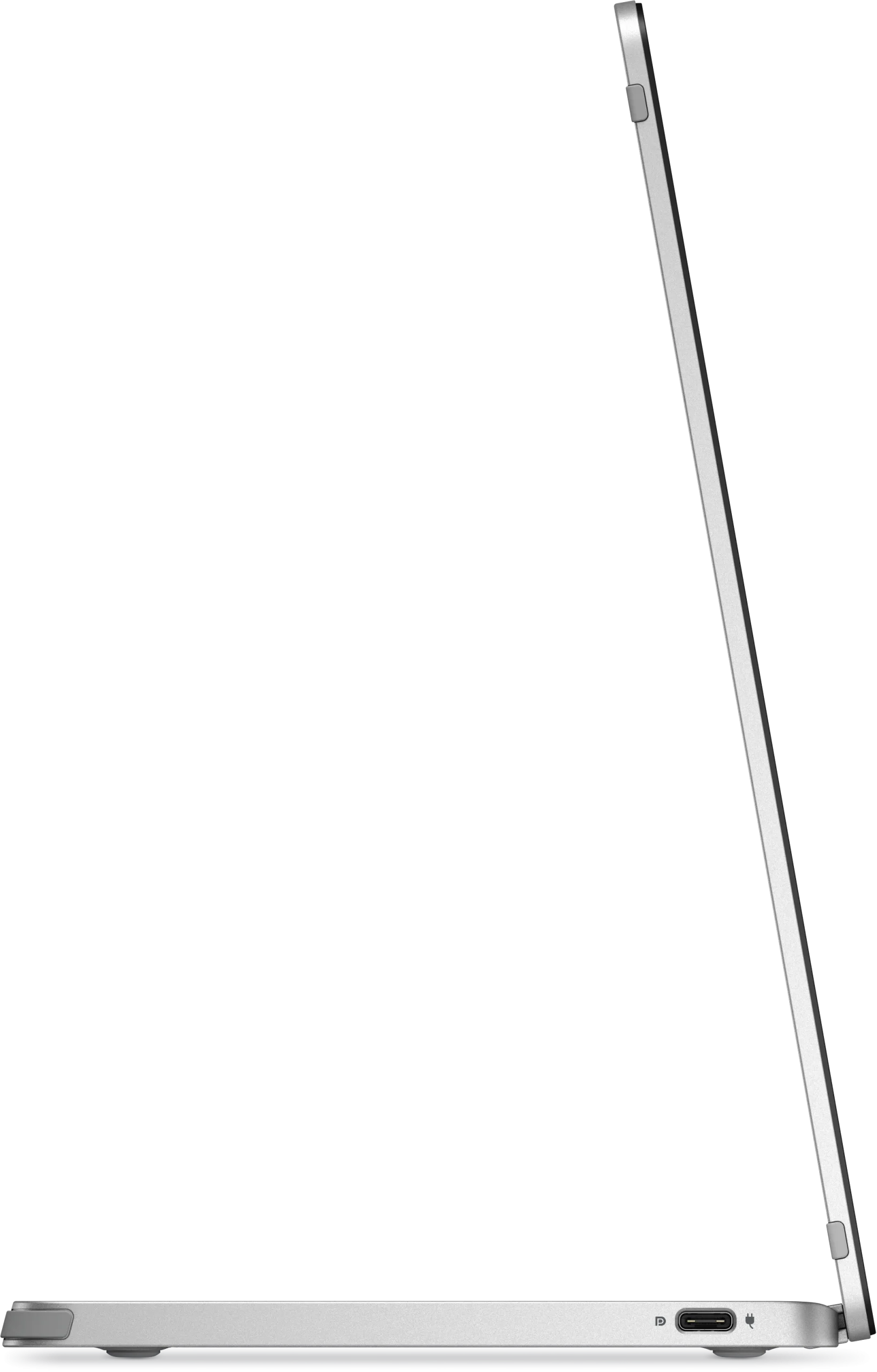
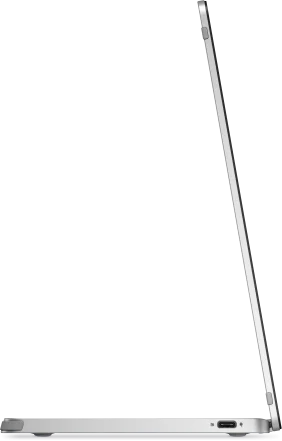
Find your perfect setup with a continuous tilt stand that adjusts from 10 to 90 degrees. This monitor is also VESA-mount compatible.
Adjusts to your environment
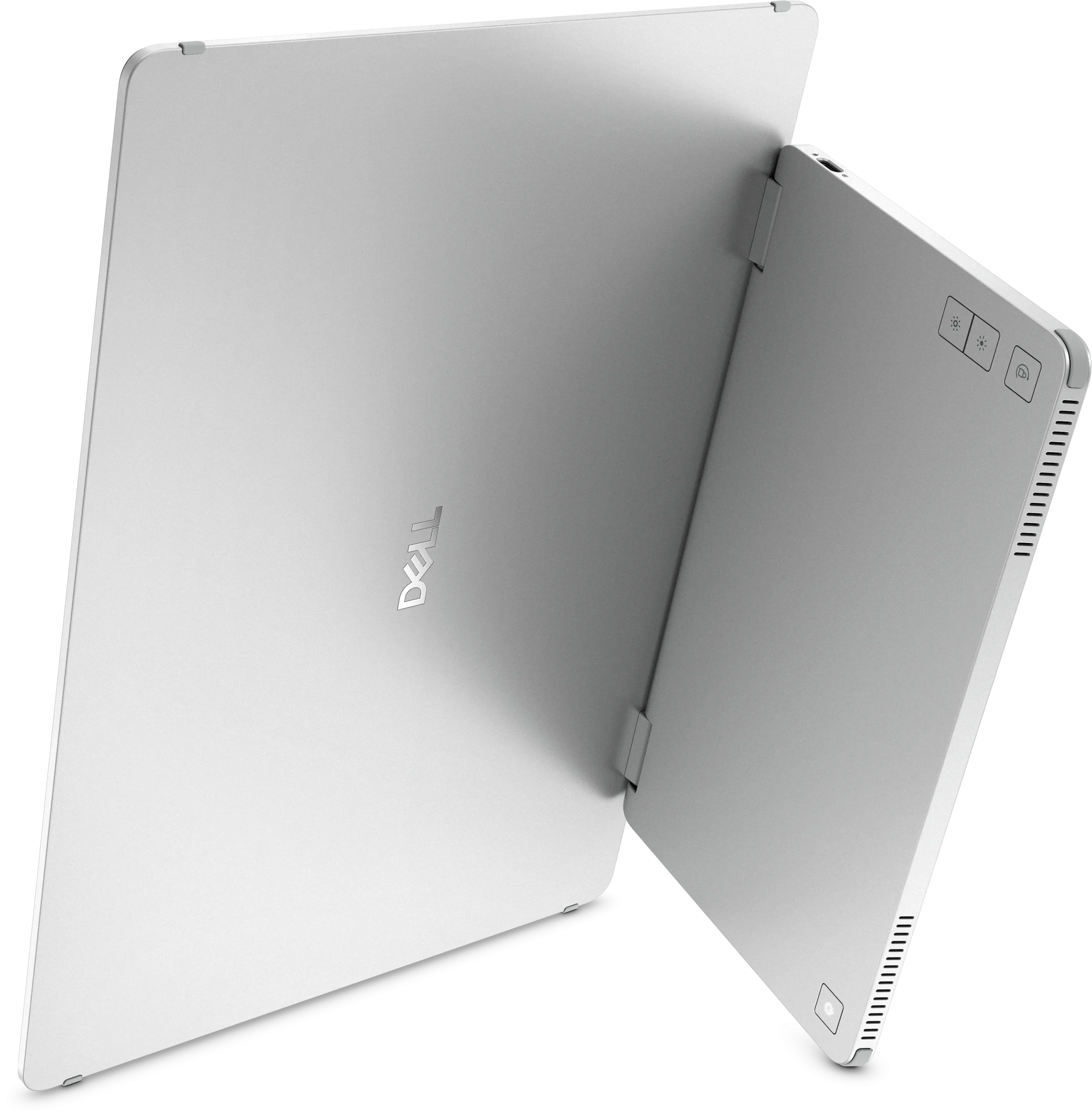
Quick access buttons easily control brightness, ensuring optimal picture quality indoors and outdoors.
On-the-go protection
Keep your monitor safe with a sleeve that has a compartment for cable storage.

Choose your view
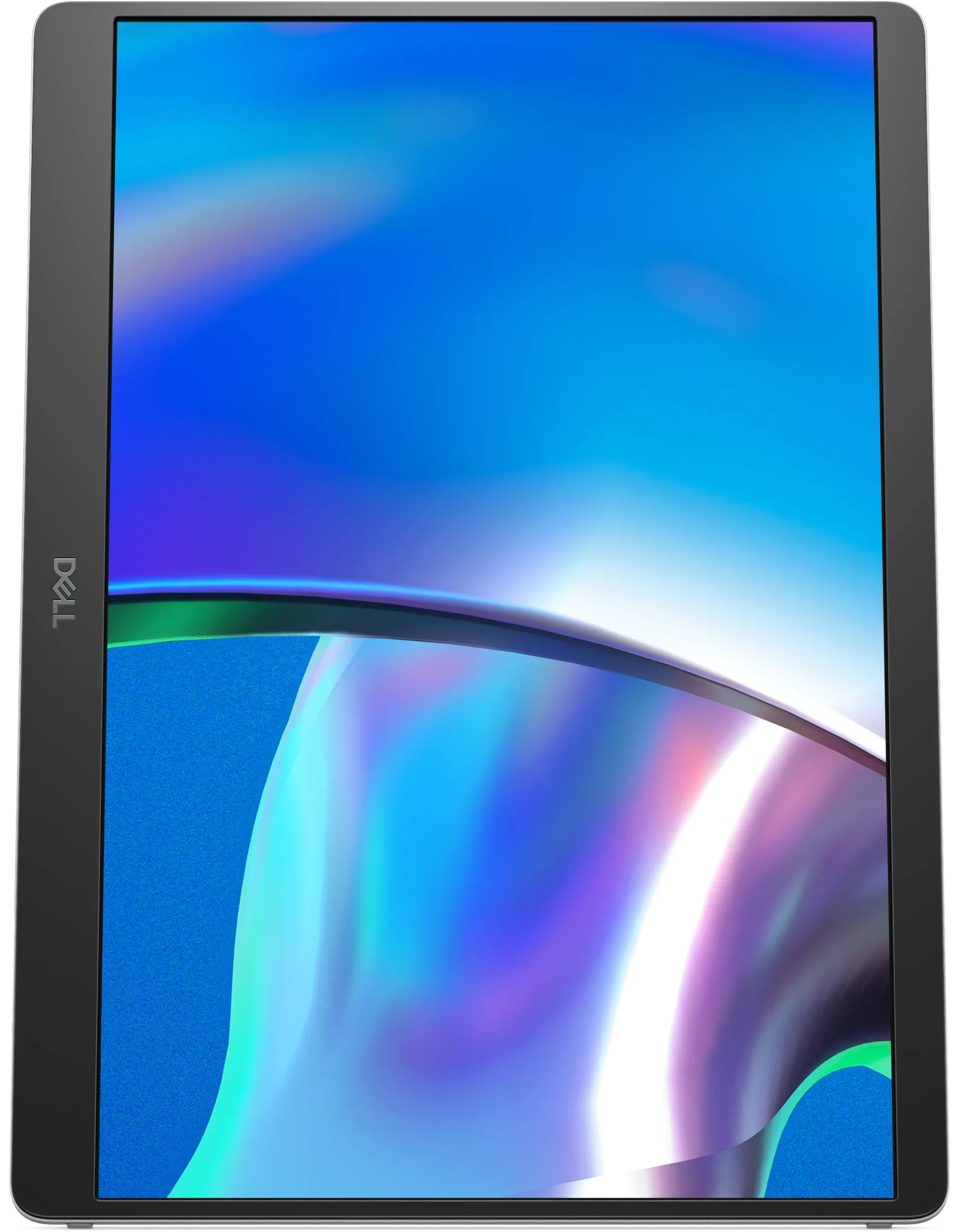
Switch between landscape and portrait modes easily with a built-in sensor and a smartly designed stand. Once you set it up, the screen will automatically adjust every time you change the orientation.

Work in clear detail
Consistent visuals
Expand your view with a FHD+ 16:10 panel. Get consistent, vibrant colours across wide viewing angles thanks to In-Plane Switching (IPS) technology.
Easy on the eyes
Reduce potentially harmful blue light emissions without compromising colour with ComfortView Plus, a built-in, always-on, low blue light screen.
More vivid colours
See more details with a wide colour coverage – up to 16.7m displayable colours of 100% sRGB. See deeper blacks and brighter whites with a 1500:1 contrast ratio.

Connect with ease
Space-saving design: An L-shaped USB-C cable connector keeps your setup neat and sleek.
Power pass-through: Charge while you work with USB-C charging that delivers up to 65W of power.
Plug and play simplicity: Set up quickly and easily with a single USB-C cable for both video and power. Place your monitor to the left, right or behind your laptop thanks to convenient USB-C ports on each side.

Dell Display and Peripheral Manager
Experience Dell’s singular, innovative application to optimise the performance of your entire Dell PC workspace.
Maximise productivity
Easy Arrange tiles apps across screens with pre-set partitions and customises up to five windows, enhancing multitasking. Easy Arrange Memory saves and restores app profiles manually, on schedule, or at start-up.
Customise your views
Work comfortably, day or night. Automate your brightness and contrast settings to match your schedule.
More manageable
Scale up management across your entire fleet of Dell displays and client peripherals with streamlined firmware update and expanded Command Line Interface features.

Made for you, sustainably
Intentional design in every part
At the heart of our design is a commitment to sustainability. That’s why our monitor helps reduce waste with a design made from recycled materials like 93% post-consumer recycled plastic including closed-loop ITE derived plastic, at least 20% recycled glass and lowers logistical footprint to fit the on-the-go lifestyle.
Environmental standards
This monitor is certified ENERGY STAR® and registered EPEAT Gold with Climate+ meaning it has met high standards for energy efficiency and climate impact.
Seamlessly modernise your tech
We can help you responsibly and securely retire your legacy IT equipment, regardless of brand, while addressing your sustainability goals.
Packaging with purpose
This monitor ships in a box made from 100% renewable materials. We are reducing plastic waste wherever possible and transitioning to a responsible fiber-based solution.
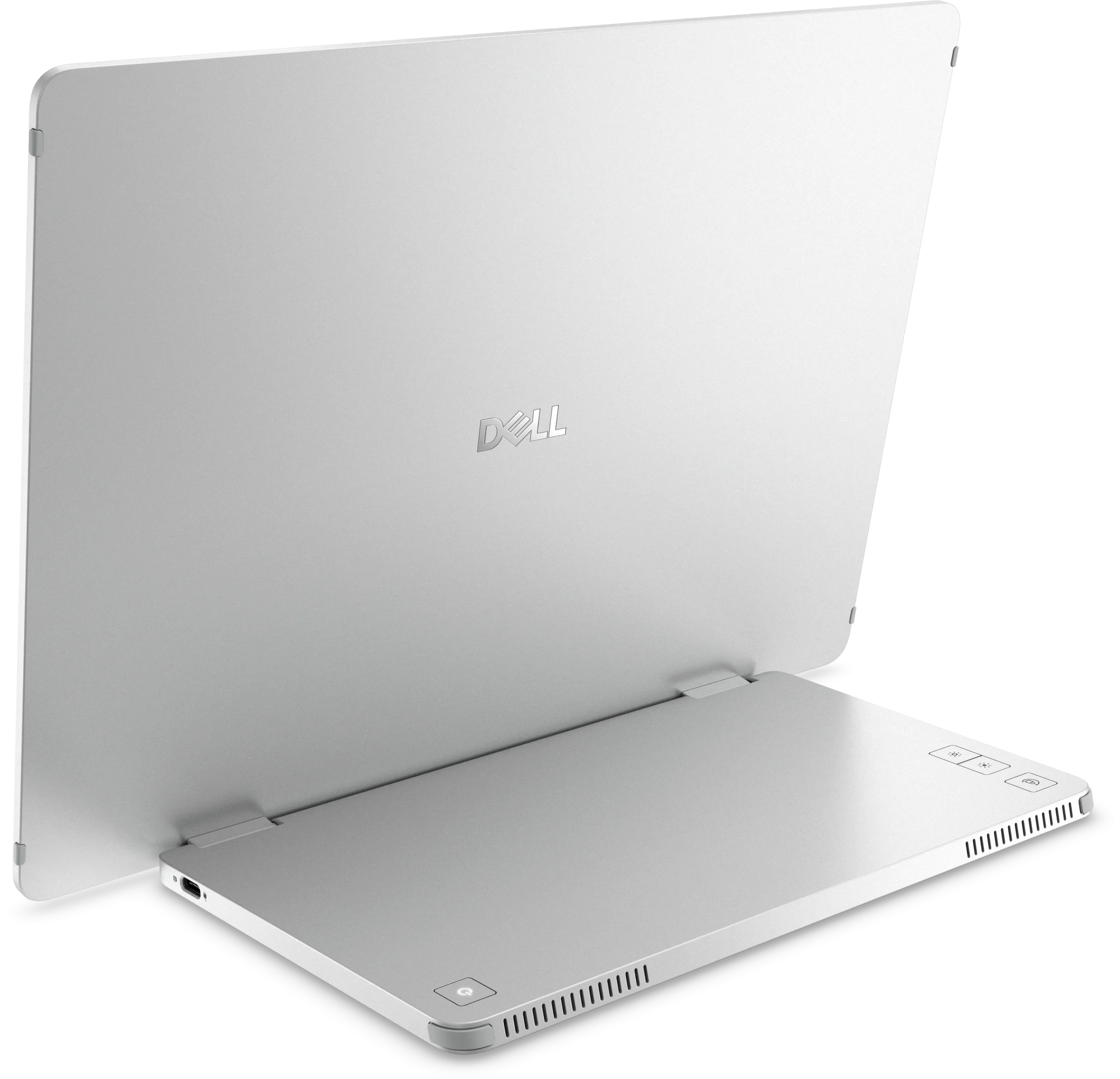
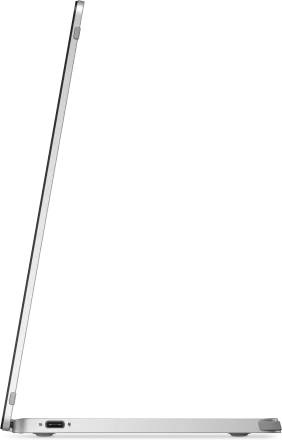
Ports and slots


1. Power On/Off button
2. Function buttons
Side view
3. USB Type C – (Alt mode with DP 1.2, with power pass through) (2)
Cables included
- USB Type-C (C to C, 1.0 m)
Dimensions and weight

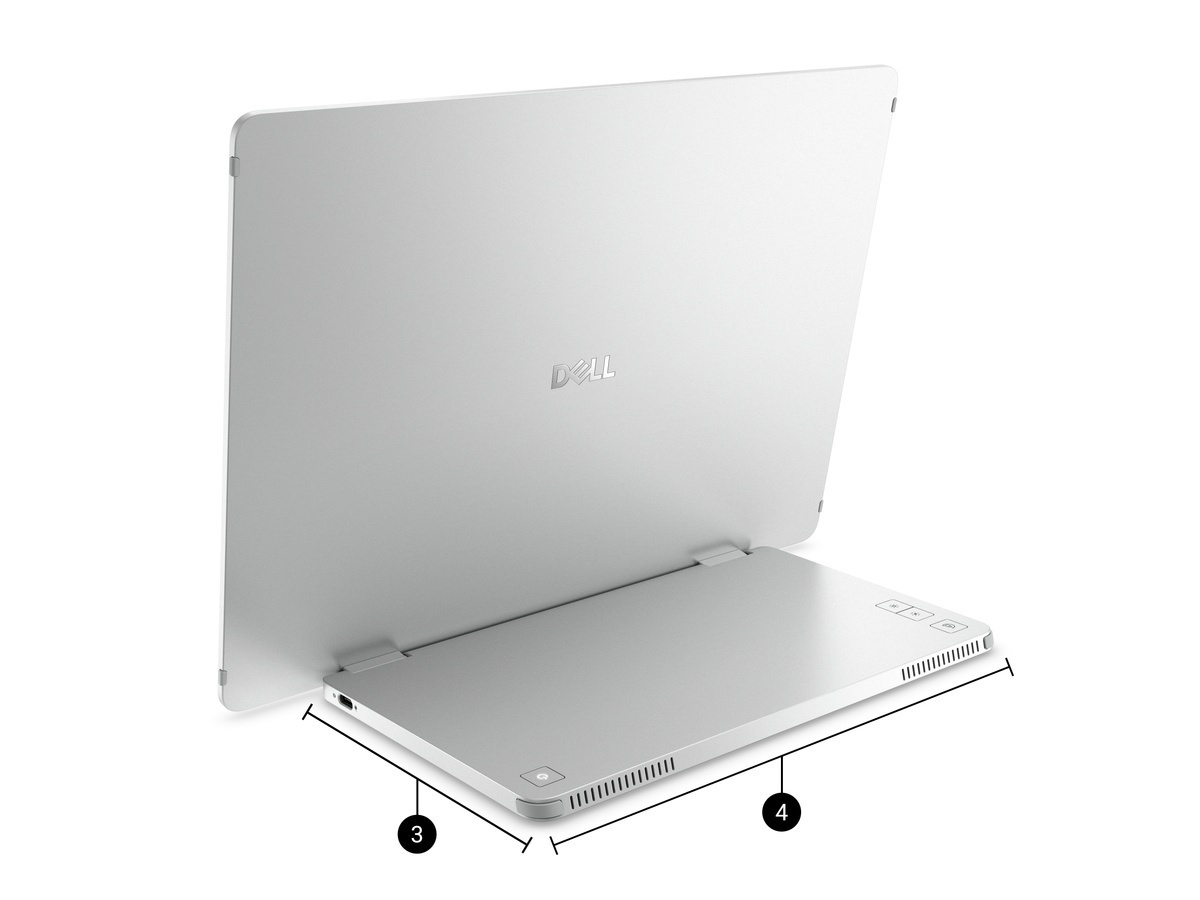
- Monitor height: 223.54 mm (8.8 in.)
- Monitor width: 315.15 mm (12.41 in.)
- Stand height: 137.85 mm (5.43 in.)
- Stand width: 237 mm (9.33 in.)
Weight:
Weight with cables: 0.62 kg (1.36 lb)⁹
Weight without cables: 0.57 kg (1.25 lb)⁹
2. TÜV Rheinland certified – Low Blue Light Hardware Solution and Flicker Free (ID 0217010014).
3. Based on Dell internal analysis, December 2024.
4. Firmware updates for fleet deployment are available for Dell Pro Plus hub monitors.
5. Based on internal analysis, January 2025. Percentage is based on plastic weight. Post-consumer recycled plastic: 82%, Closed loop ITE derived plastic: 11%.
6. Applicable to all new monitors launching in CY 2024. Recycled glass is present in monitor panel. Based on internal analysis, January 2024.
7. EPEAT registered where applicable. EPEAT registration varies by country. See www.epeat.net for registration status by country.
8. Applies to all Dell monitors launched since 2023. Made from FSC mix sources which is a mix of material from FSC certified forests, recycled content and/or FSC controlled wood. Based on internal analysis, January 2025. Cushions now made from corrugated materials.
9. Weights vary depending on configurations and manufacturing variability.
Specifications | |
| Display | Ergonomics |
| Display diagonal | VESA mounting |
| Size of the display for this product, measured diagonally, usually in inches. | Cable lock slot |
| 35.6 cm (14″) | Holes on the edge of devices through which a cable lock can be passed, so the device can be locked to a desk etc. |
| Display resolution | Height adjustment |
| The number of distinct pixels in each dimension that can be displayed. It is usually quoted as width × height, with the units in pixels: for example, “1024 × 768” means the width is 1024 pixels and the height is 768 pixels. The higher the number of pixels, the sharper the image. | The part of the device that can be adjusted to change the height. |
| 1920 x 1200 pixels | Tilt adjustment |
| HD type | The tilt, which means the angle at which the device is pointing (up or down), can be changed. |
| Type of supported High Definition (e.g. Full HD, 4K Ultra HD). | Tilt angle range |
| WUXGA | 10 – 90° |
| Native aspect ratio | On Screen Display (OSD) |
| The aspect ratio is the ratio of the width of an image to its height. The native aspect ratio is the one which the projector/display is particularly designed for. Images shown in native aspect ratio will utilize the entire resolution of the display and achieve maximum brightness. Images shown in other than native aspect ratio will always have less resolution and less brightness than images shown in native aspect ratio. | Plug and Play |
| 16:10 | Indicates whether this product supports is “plug and play”. Plug and play is hardware or software that, after being installed (“plugged in”), can immediately be used (“played with”), as opposed to hardware or software which requires configuration. |
| Display technology | Power |
| The technology used in the display e.g. plasma, LED. | Energy efficiency class (SDR) |
| LCD | B |
| Panel type | Energy efficiency class (HDR) |
| IPS | Not available |
| LED backlight | Energy consumption (SDR) per 1000 hours |
| A backlight is a form of illumination used in liquid crystal displays (LCDs). One type of backlight is made by LEDs, which can be either white or RGB (red green blue). White LEDs are used most often in notebooks and desktop screens, and in virtually all mobile LCD screens. RGB LEDs for backlighting are found in high-end color proofing displays such as HP DreamColor LP2480zx monitor or selected HP EliteBook notebooks, as well as newer consumer grade displays such as Dell’s Studio series laptops which have an optional RGB LED display. | 5 kWh |
| Backlight type | Power consumption (typical) |
| Edge LED | Amount of power consumed by this model, often expressed in watts (W). Typical values that manufacturers give are power consumption when off, standby/suspended mode, typical use, maximum usage. |
| Touchscreen | 5.4 W |
| A screen of a laptop, smartphone, etc., that responds to touch so you can control the interface using your fingers. | Power consumption (standby) |
| Display brightness (typical) | The amount of electricity that is consumed when the product is on standby. |
| Display brightness, measured by its Luminance, presented as a figure in nits. Typical brightness ratings for monitors range from 250 to 350 nits with a target value of between 80 to 120 nits being suitable for most displays in a normal viewing environment. | 0.3 W |
| 400 cd/m² | Power consumption (max) |
| Response time | The maximum amount of power used by the device. |
| The response time is the time difference between the moment that a source (for example a video card) sends a signal and that equipment (for example a monitor) receives or display the signal. (Used abbreviations: R/F = Rise and Fall.) | 7 W |
| 7 ms | Power consumption (off) |
| Response time measurement type | 0.3 W |
| GTG (Gray to Gray) | Power supply type |
| Anti-glare screen | The type of power supply which this product uses. |
| Always gives an optimal view, even in direct sunlight. | External |
| Screen shape | Energy efficiency scale |
| Flat | A to G |
| Supported graphics resolutions | Operational conditions |
| The graphic resolutions that can be displayed by the device. The graphic resolution describes the width and height dimensions of a display, such as a computer monitor, measured in pixels. | Operating temperature (T-T) |
| 640 x 480 (VGA), 800 x 600 (SVGA), 1024 x 768 (XGA), 1280 x 1024 (SXGA), 1280 x 768, 1280 x 800, 1366 x 768, 1440 x 900, 1600 x 1200 (UXGA), 1680 x 1050 (WSXGA+) | The minimum and maximum temperatures at which the product can be safely operated. |
| Supported video modes | 0 – 40 °C |
| The video modes that can be displayed by the device. | Storage temperature (T-T) |
| 480p, 576p, 720p, 1080p | The minimum and maximum temperatures at which the product can be safely stored. |
| Contrast ratio (typical) | -20 – 60 °C |
| The difference in light intensity between the brightest white and the darkest black. | Operating relative humidity (H-H) |
| 1500:01:00 | 10 – 90% |
| Maximum refresh rate | Storage relative humidity (H-H) |
| 60 Hz | 5 – 90% |
| Viewing angle, horizontal | Operating altitude |
| Maximum horizontal angle at which a display can be viewed with acceptable visual performance. | 0 – 5000 m |
| 178° | Non-operating altitude |
| Viewing angle, vertical | 0 – 12192 m |
| Maximum vertical angle at which a display can be viewed with acceptable visual performance. | Weight & dimensions |
| 178° | Width (with stand) |
| Display number of colours | 315.1 mm |
| 16.7 million colours | Depth (with stand) |
| Pixel pitch | 14.7 mm |
| This is the parameter of a picture tube, which specifies the shortest distance between two dots of the same colour. The principle is: the smaller the dot pitch, the better sharpness of image. | Height (with stand) |
| 0.15708 x 0.15708 mm | 223.5 mm |
| Pixel density | Width (without stand) |
| 162 ppi | 315.1 mm |
| Horizontal scan range | Depth (without stand) |
| 30 – 118 kHz | 4.6 mm |
| Vertical scan range | Height (without stand) |
| 56 – 60 Hz | 223.5 mm |
| Viewable size, horizontal | Weight (without stand) |
| The viewable size is often somewhat smaller than the actual size of a monitor, because there is a border around the image. | 570 g |
| 30.2 cm | Bezel width (side) |
| Viewable size, vertical | 5.95 mm |
| 18.9 cm | Bezel width (top) |
| Display diagonal (metric) | 1.36 cm |
| This is the size of the display screen, measured diagonally. | Bezel width (bottom) |
| 35.57 cm | 2.14 cm |
| Surface hardness | Packaging data |
| 3H | Package weight |
| Colour gamut standard | Weight of the packaged product. |
| sRGB | 1.24 kg |
| sRGB coverage (typical) | Packaging content |
| 100% | Stand included |
| Product type | Sustainability |
| The sub-category of the product. | Sustainability certificates |
| Portable monitor | ENERGY STAR |
| Performance | Doesn’t contain |
| NVIDIA G-SYNC | Arsenic, Mercury, PVC/BFR |
| AMD FreeSync | Carbon footprint |
| The product includes AMD Freesync Technology for the dynamic synchronization of the graphic card and the monitor in order to avoid screen tearing. | Total carbon footprint (kg of CO2e) |
| Windows operating systems supported | The total mean carbon footprint value generated across various lifecycle stages (manufacturing, transportation / logistics, use and end of life) per unit (for one single product) i.e., measured in kilograms CO2e. |
| Windows vesions wich can be used with the device. | 71.5 |
| Windows 10, Windows 11 | Carbon emissions, manufacturing (kg of CO2e) |
| Mac operating systems supported | The mean carbon emissions during the Manufacturing stage (i.e., emissions during raw material extraction and manufacturing of components (e.g., drives, graphics cards, memory, CPU, mainboards, etc.) or assembling of the product. |
| Mac operating systems e.g. OS X can be used with the device. | 40.5405 |
| Multimedia | Carbon emissions, logistics (kg of CO2e) |
| Built-in speaker(s) | The mean carbon emissions during the transportation of the product. |
| The device contains speaker(s) to produce sound. | 2.3595 |
| Built-in camera | Carbon emissions, energy usage (kg of CO2e) |
| The product has an integrated camera. | Use-phase carbon emissions from products that consume energy (fuels or electricity) during use. |
| Design | 27.456 |
| Product colour | Carbon emissions, end-of-life (kg of CO2e) |
| The colour e.g. red, blue, green, black, white. | The mean carbon emissions related to the End-of-Life processing of products. |
| Silver | 1.144 |
| Ports & interfaces | PAIA version |
| Built-in USB hub | PAIA (Product Attribute to Impact Algorithm) tool for product carbon footprint calculations. The version of the PAIA tool (and year if available) used during carbon footprint calculation for a product. |
| Whether or not the device features a USB hub to connect more than one other device via USB. | GaBi version 1, 2024 |
| USB upstream port type | Other features |
| USB Type-C | USB ports quantity |
| Number of upstream ports | 2 |
| 2 | Compliance certificates |
| Number of USB Type-C upstream ports quantity | RoHS |
| 2 | |
| USB Type-C DisplayPort Alternate Mode | |
| HDMI | |
| HDMI (High-Definition Multimedia Interface) is a compact audio/video interface for transferring uncompressed video data and compressed/uncompressed digital audio data from a HDMI-compliant device (“the source device”) to a compatible computer monitor, video projector, digital television, or digital audio device. HDMI is a digital replacement for existing analog video standards. | |
| Headphone out | |
| The socket for connecting headphones to the device. | |
| HDCP | |
| High-bandwidth Digital Content Protection (HDCP) is a form of digital copy protection to prevent copying of digital audio and video content as it travels across connections. | |
| Ports & interfaces | |
| HDCP version | |
| 1.4 | |
| Brand | Dell |
|---|
Only logged in customers who have purchased this product may leave a review.
Please note that We use either following Couriers
Courierit / Courier Guy / MDS Collivery / DPD Laser / Internet Express / Ram / Rhenus / RTT / DCB MTE Express, Citi Spirits (CPT only) and more.
Virtual Items are emailed, This process may take a few hours (during Business operating hours Monday to Friday 08:00 - 17:00).
Please select Shipping insurance should you wish to cover your goods during the transit. Free Shipping insurance from R0 – R1000 T&C’s Apply.
Should the users use incorrect Postal codes may result in incorrect Shipping fees. These may be corrected by Tech Guy SA and resulting in payment request for the difference. i.e Incorrect Postal code resulted in lower fees.
Orders May take 1-4 Days to Process before shipping once funds have cleared into our account. Delays may occur (ie Stock may need to come from JHB to CPT)
Tracking Number Will be mailed to you in some cases Waybill Numbers take a few days while in transit (RTT / Rhenus / MDS / DCB / DSV).
Promotional Shipping Is offered time to time for Local and Main Centers With Weight Limits.
We will not courier out to the following without arrangement prior to the order as there are additional fees involved:
Tenders, Chain Stores, Power Stations, Plot / Farms, Hospitals
Reviews
There are no reviews yet.